Click on any graphic for a larger image
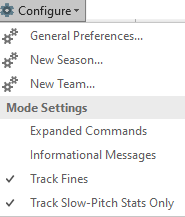
The SBC runs as an application under Microsoft Excel on Windows platforms. Check the Downloads page for supported versions of Excel. Some one-time configuration settings of Excel need to be performed for proper SBC operation. See the installation section in the User Manual for details.
The distribution media contains sample files to expedite getting started with the SBC. It is suggested that new users start with the SBC_Sample_Team.xls file. This file is populated with roster entries, player game stats, division standings and schedule entries. This file will allow the user to get familiar with the structure and commands using actual player stats and schedule entries.
The user can then set up the basic attrbutes for a New Team.
Alternatively, a copy of the SBC_Blank_Team.xls can be used.
The sample and blank Team Worksheets are pre-configured with the Informational Messages option active. This results in additional messages to the user during command operation. Once the user is comfortable using the SBC, this option can be disabled.
If you already have your Team Worksheet configured from a previous season, the New Season command can be used to set it up for a new season or tournament. This command will preserve the player names in the roster and teams in the standings.

Each player in the active roster has their own detailed stats page. Players in the expansion roster appear in a composite page and is typically used for substitutes. The expansion roster title can be renamed as desired (e.g.: Reserves, Substitutes, Alternates, Drive-By's, etc.). The number of players in either roster is essentially unlimited with current versions of Excel.
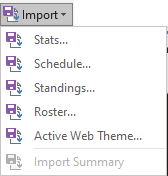
Players can be manually entered into either roster via the Add Player command. Rosters can be imported from an external file as well.
Roster modifications and maintenance can be made via the other commands in the Rosters menu. The Transfer Player command allows players and their stats to be moved to/from the active and expansion rosters as desired. The Merge Players command allows the stats from two different players to be combined into a single player entry.
The game scoresheet is the source for the batting statistics for each game. In Expanded Commands mode, game stats can be imported from a number of mobile stats apps.
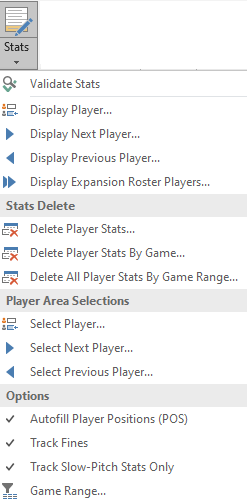
The Stats command is used to transcribe the individual player stats into the team worksheet. This command is also used for making changes to existing entries for a particular player and game.
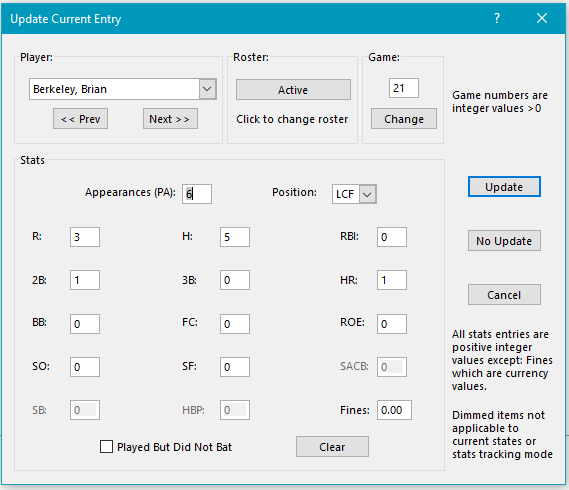
This command invokes the Player Update dialog dialog box. The game number and the player name will default to the most recent game and player referenced. The user may choose a different player/ game combination from the Player, Roster and Game navigation controls. The Next and Prev controls traverse both the Active and Expansion rosters.
The drag bar will indicate whether this is a new entry for this player/game selection or an update to existing stats. The dialog is constructed for rapid entry of the player statistics with the fields in the same order as found in most scoresheets. The values will be sanity-checked to catch most data entry errors.
After the stats have been entered/updated, the SBC will prompt the user for the next player in alphabetical sequence. The user may choose to go to a different player/game entry at any time as desired.
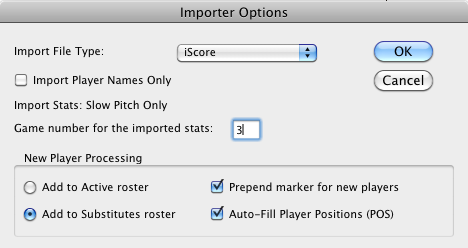
A number of popular apps exist on the market to capture game statistics on mobile and desktop devices. The SBC currently supports the following formats:
- Baseball Scorebook - Android
 5.70
5.70 - Backside Stats – iOS 5.60
- iScore Baseball / Softball – iOS and Android
- 6-4-3 Baseball Scorecard - Android
- K-ForCE - Windows
- Game Changer - iOS and Android
- Sleek Stats Softball StatKeeper - Android
- FixedIt Baseball Scorekeeper - iOS and Android
- SBC General Format
NOTE: Some of the apps listed are no longer available/supported on the Apple or Google Play app stores or the respective app web sites. However, the SBC still maintains support for the last known releases.
Game statistics are exported from the mobile app into a file. The actual export procedure varies by the app. The SBC User Manual details the specific import limitations for each app and strategies to address them.
The Import / Stats command invokes a prompt for basic parameter selections. The importer will merge the stats for each roster player for the selected game into the Team Worksheet. Players not found in either roster will be added and marked for the user to take appropriate action after the import has completed.
If the source is not one of the pre-defined mobile apps, game-by-game stats for each player can be imported via the SBC General format into a Single Season Team Worksheet. Player stats from one or multiple games can be imported in the same file. Template files are included in the distrubtion media.
In the General format, the stats fields and their locations in the file are flexible. The importer will examine the file and locate the entries based on the definitions in the label line in the file. This facilitates importing stats from a wide variety of sources.
Stats from external sources can be imported from one or multiple seasons into Multi Season Team Worksheets as well. Template files are included in the distribution media.
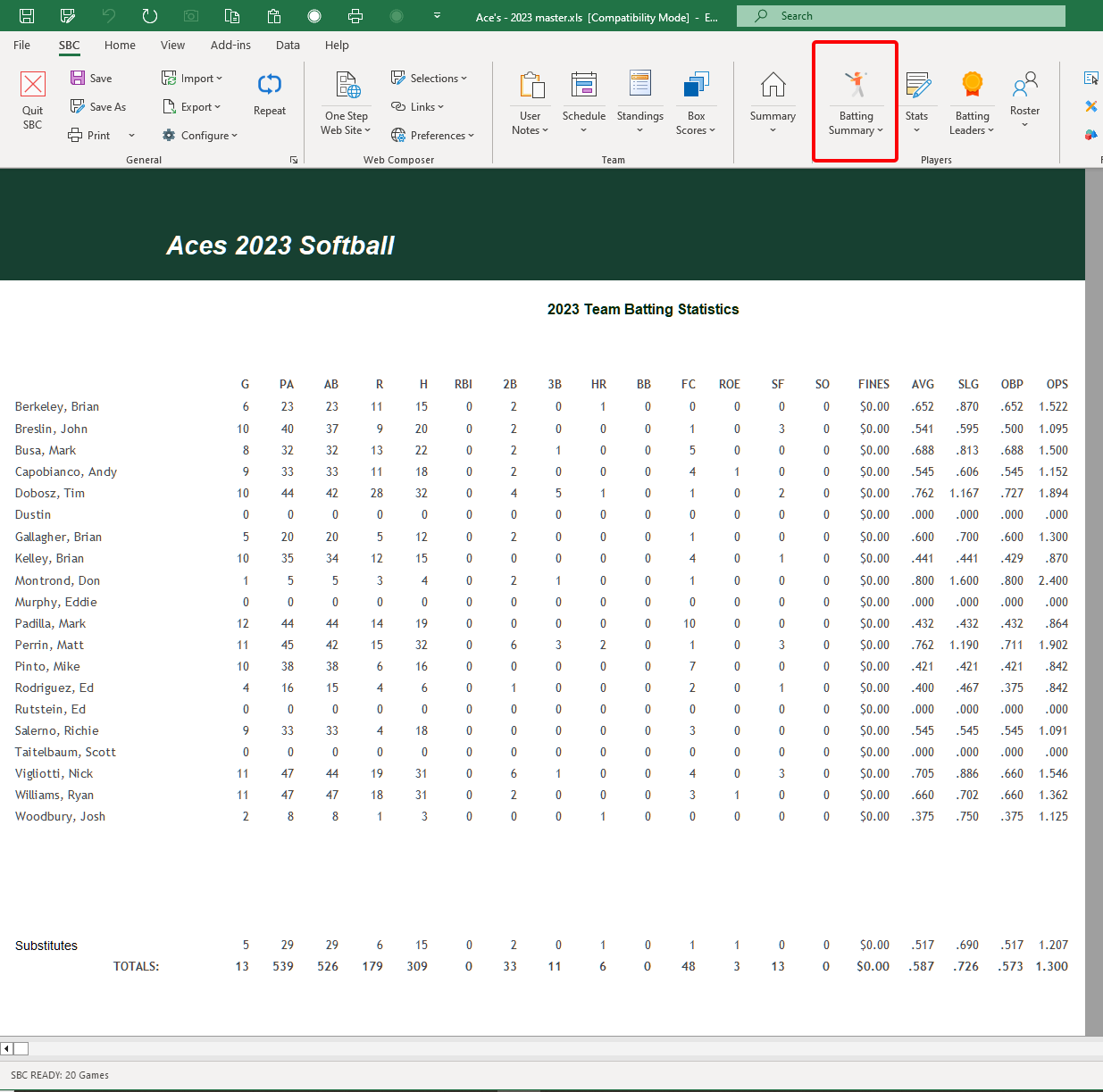
The SBC collates composite player statistics from the game-by-game stats for each active player on the team. A composite of the expansion roster players stats ("Substitutes" in this example) is also calculated.
The user may navigate to the individual stats for a player by clicking on the player name.
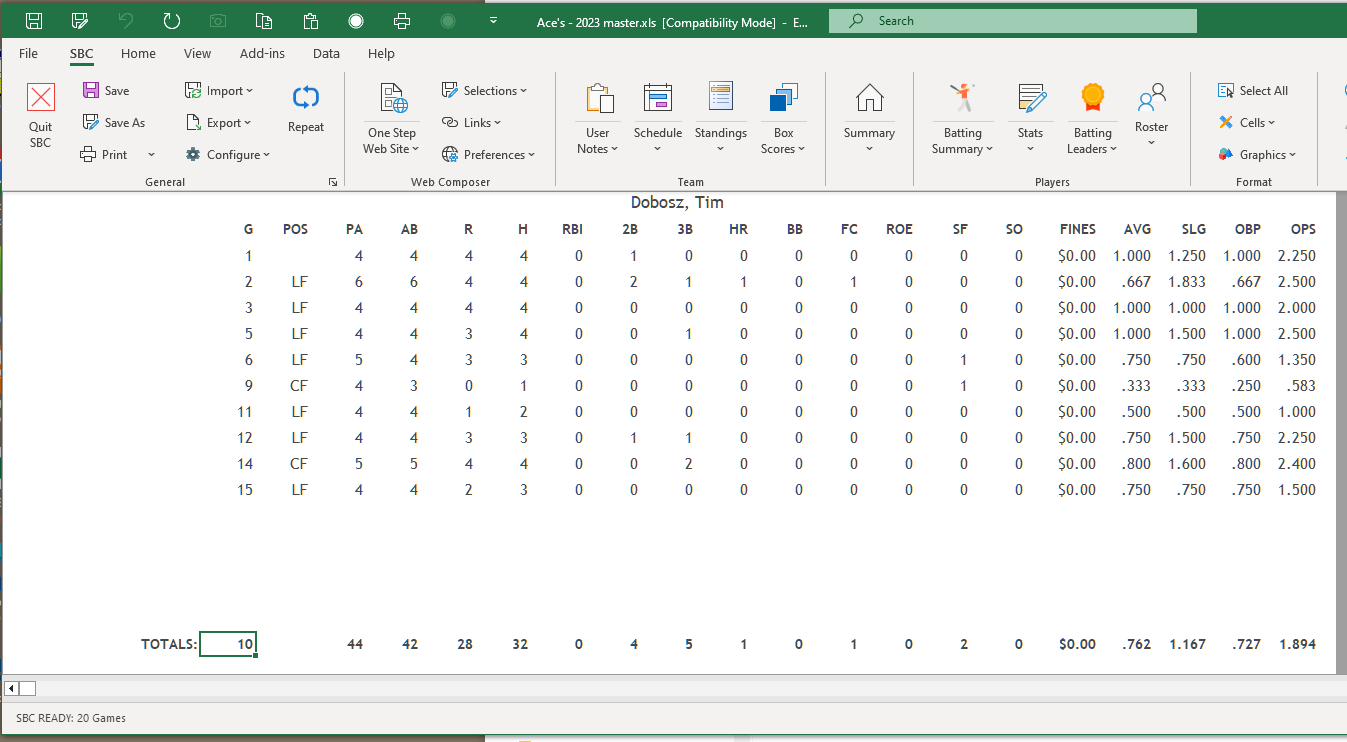
The SBC maintains a game-by-game statistics area for each active roster player on the team.
A separate composite stats page will contain the entries for all players in the expansion roster. The user has the option of viewing these entries sorted by player name or by game number as desired.
© 2000-2025 Softball/Baseball Team Calculator Site Privacy and Security
Lightbox2 - Courtesy of Lokesh Dhakar
Web Site Problems ? 📫