Click on any graphic for a larger image

The first page of the team worksheet contains the summary statistics.
When a web site is generated, this page serves as the framework for the team's home page.
After the current won/lost/ties entries have been updated, the Division Standings can be updated. An option exists to automatically update the Division Standings from the game scores in the Schedule as well.
After player stats have been entered, a box score for a selected game can be generated.
A snapshot of the top batting leaders in each selected category is displayed.
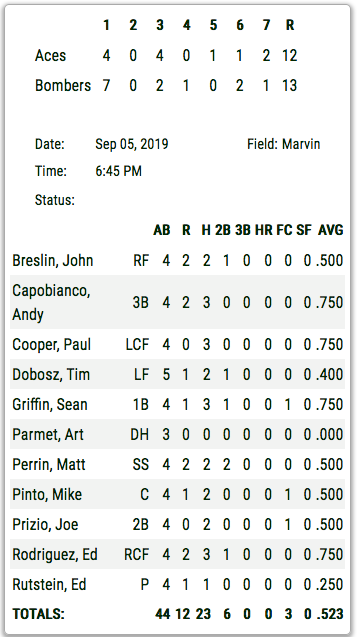
Existing Box Scores can be sequentially displayed. The order of games displayed in the Box Score can be either ascending (first game played) or decending (most recent game first).
To generate a Box Score, the attributes for the selected game (e.g.: team names, date, time, location, etc.) are recalled from the schedule entry for this game. The line score for each team is entered. The SBC will calculate run totals for each team.
The stats for participants of the selected game are extracted and composed into the box score. The players can be sorted either by position or alphabetically by name.
The user may select the stats for two of the box score categories from BB, FC, ROE, HBP, SO, RBI, SF, SACB, or SB. In the example, FC and SF have been chosen. After the Box Score has been updated, the line score and game specifics will be saved for future recall.
As a quick validation for possible entry errors, the Runs values will be shown in Red to indicate that the total runs scored for the Main Team in the line score does not match the total in the box score.
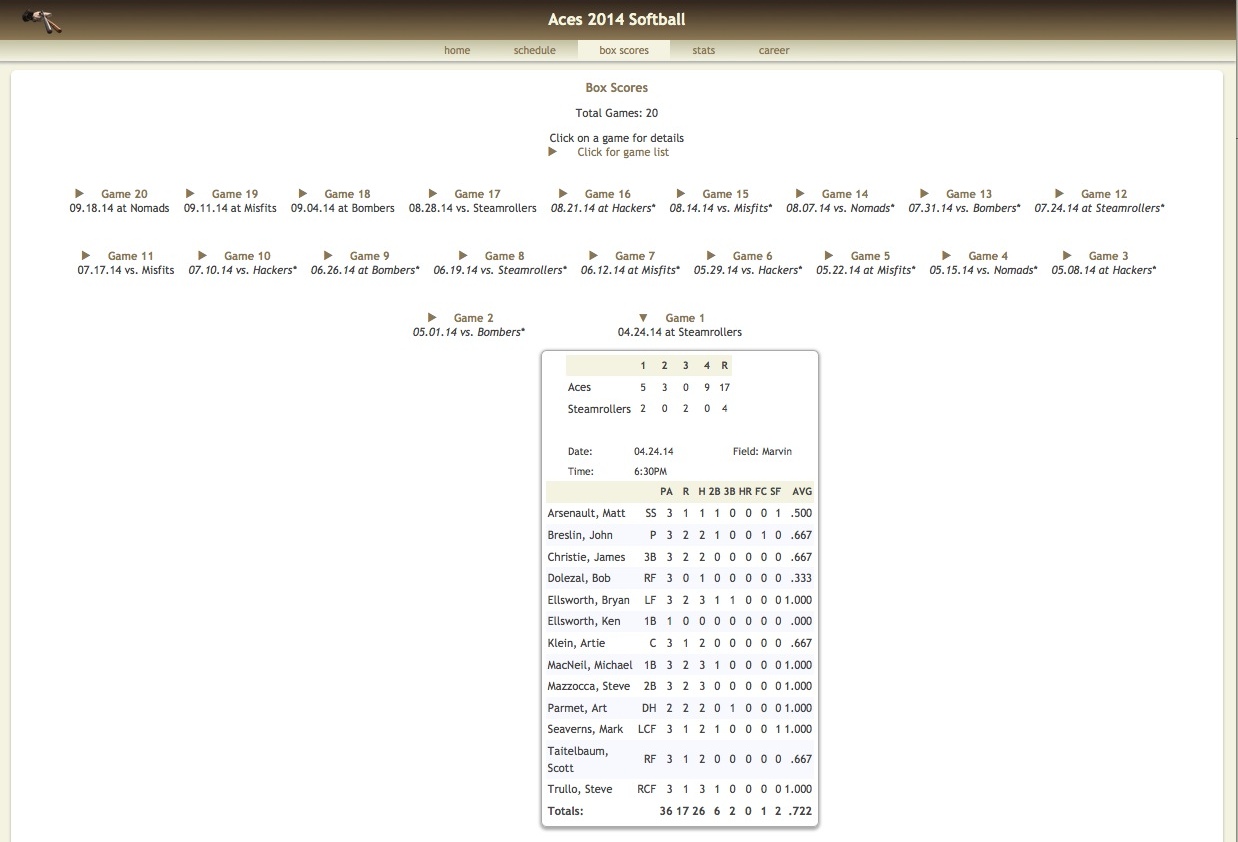
When a web site is created, a separate web page is produced with a list of all of the games. When the web page is subsequently viewed in a browser, the user may click on any game in the list to view a specific line/box score.
Click on any graphic for a larger image
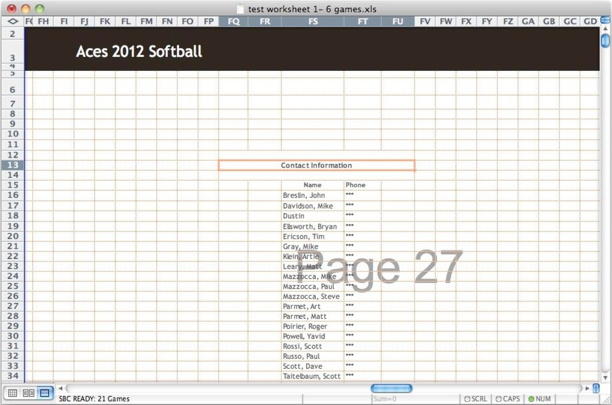
The User Notes area is a separate page on the Team Worksheet. Some possible uses are for roster information, custom schedules, team or league-specific information, contact information, or just personal notes for the scorekeeper or team manager. The user has control over the content, format and whether this area is included in web sites and/or printed pages.
When incorporated into a website, the title of the User Notes area can be defined as desired by the user. Hyperlinks to other content such as a league web site, calendar files, etc. may be incorporated as well.
© 2000-2025 Softball/Baseball Team Calculator Site Privacy and Security
Lightbox2 - Courtesy of Lokesh Dhakar
Web Site Problems ? 📫